Real component library
Resistors with color bands worked out from their value, ceramic and electrolytic capacitors, inductors, diodes, colored LEDs, transistors, MOSFETs, potentiometers and header pins.
Free · Open source · No sign-up
Perfboard Designer is an online layout tool for perfboard (protoboard) projects. Place resistors, capacitors, LEDs, transistors, ICs and wires on a virtual hole grid, see how everything fits, and catch mistakes before they cost you a desoldering session.
Runs in your browser. Nothing to install, nothing uploaded.
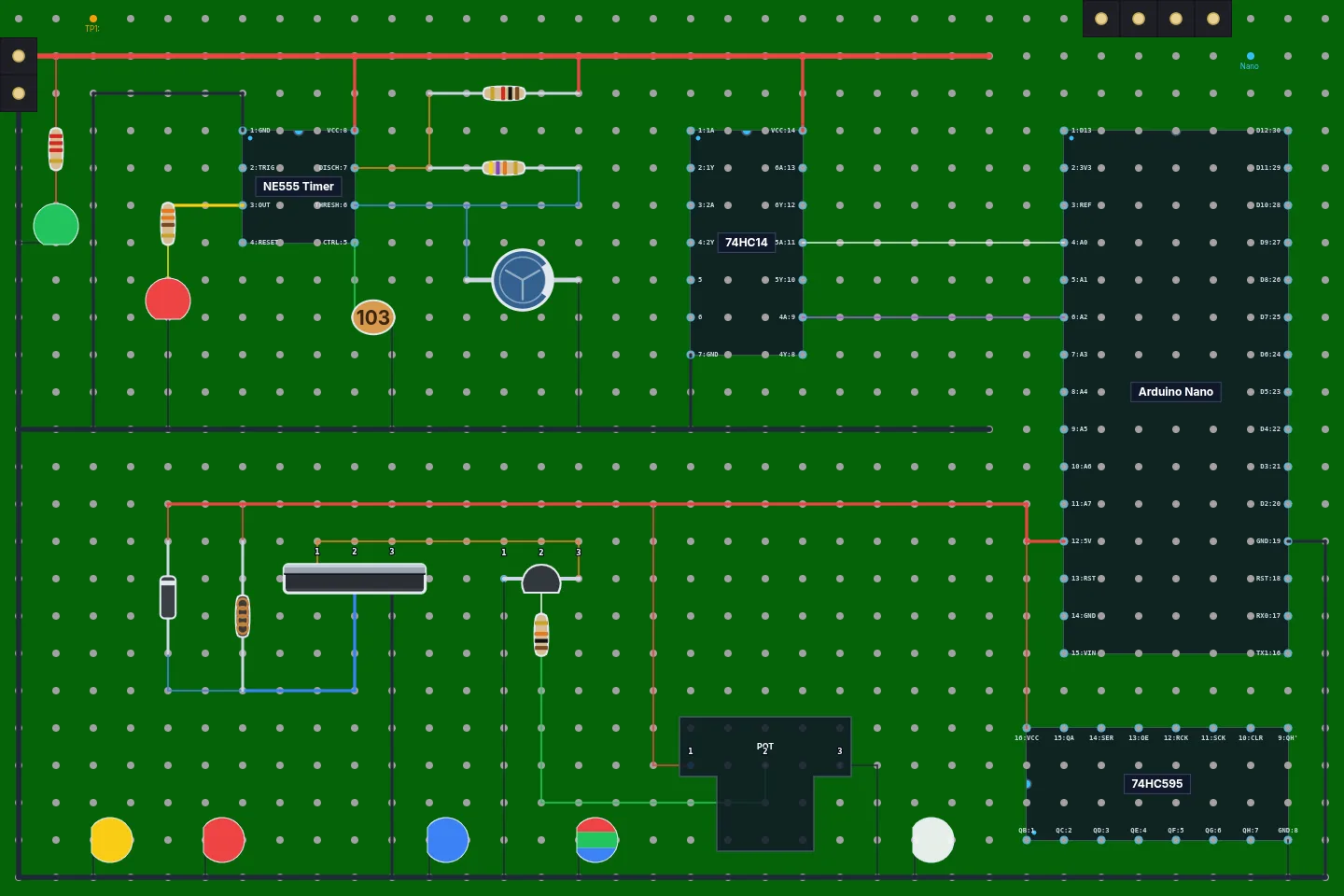
Made for makers, students and hobbyists who want a plan before picking up the soldering iron.
Resistors with color bands worked out from their value, ceramic and electrolytic capacitors, inductors, diodes, colored LEDs, transistors, MOSFETs, potentiometers and header pins.
Drop in an NE555 timer, DIP-14 and DIP-16 logic chips, an ATmega328P or an Arduino Nano, or build your own chip with labeled pins and edit it later.
Draw jumper wires in any color and three thicknesses. Straight runs of the same color merge into a single wire automatically.
Start from a preset or set your own grid size to match the board on your bench, then zoom, pan and go fullscreen while you work.
Keep your progress in the browser, download the design as a project file to share or reopen later, or export the board as a PNG image.
Undo and redo, keyboard shortcuts, notes on any hole, and part values shown right on the board.
Choose a preset or enter the number of holes across and down to match your perfboard.
Click to drop components onto the holes, rotate chips, and draw wires between pins.
Save the project file, export an image to keep next to your soldering iron, and build with confidence.
Yes. It's completely free and open source, with no account, ads or limits.
No. It runs in any modern web browser. It works best on a desktop or laptop with a mouse.
On your own device. "Save Progress" keeps your work in this browser, and "Save Project" downloads a project file you can reopen or share later. Nothing is uploaded to a server.
Yes. The custom IC editor lets you set the size and label every pin, and you can edit a custom chip again after creating it.
No. Perfboard Designer is a layout planner: it helps you work out where parts and wires go on the board. It doesn't simulate circuits or check them electrically.
Please do! Bug reports, ideas and pull requests are welcome on GitHub. See the contributors who already helped.
Open the designer and lay out your first board in a few minutes.
Open the designer →